Hulu Sport Betting App for Ethiopia
Download the Hulu Sport Betting app and carry your account in your pocket. Free APK for Android, full mobile site for iOS. Live odds across Premier League and Ethiopian football, instant Telebirr and CBE Birr deposits, cashout on open bets — all in an app built for Ethiopian mobile networks.

How to Download and Install the Hulu Sport Betting App
Tap Download APK
Tap the Download APK button at the top of this page on your Android phone. The APK file (under 30 MB) starts downloading immediately. The download works on Ethio Telecom, Safaricom Ethiopia, and Wi-Fi — no VPN required. iPhone users can skip ahead to step 4 for the iOS instructions.
Allow Installation from Unknown Sources
Because the app is not on Google Play, Android shows a prompt asking permission to install from unknown sources. Open Settings, find Security or Apps, and toggle Allow from this source for your browser. This is a standard step for any APK downloaded outside the Play Store and is safe for the Hulu Sport Betting app.
Install and Open the App
Open the downloaded APK file from your Downloads folder or notification tray. Tap Install — the process takes about 10 seconds. Once installed, open the app from your home screen. Log in with your existing account, or tap Register if you're a new player.
iOS Users — Use the Mobile Site
Apple's App Store doesn't host betting apps in Ethiopia, so iPhone and iPad users access Hulu Sport Betting through the mobile site instead. Open Safari, go to the homepage, and add the page to your home screen via the Share menu. The result behaves like an app — full-screen, fast loading, stays logged in.
What players say about the Hulu Sport Betting app
Hulu Sport Betting APK — Download Guide for Ethiopian Players
The Hulu Sport Betting app brings the full experience of Hulu sport betting to your phone. It's built specifically for Ethiopian users — lightweight enough to run smoothly on entry-level Android phones, optimised for Ethio Telecom and Safaricom Ethiopia networks, and connected to local payment methods like Telebirr and CBE Birr. This page covers everything you need to download the APK, install it safely, and get the most out of it.
Hulu Sport Betting APK — Key Facts
- File size — under 30 MB, so it downloads quickly even on slow connections.
- Android requirement — Android 5.0 (Lollipop) or higher.
- iOS requirement — iOS 12 or higher (via mobile site, see below).
- Cost — free to download and use.
- Source — direct from this page, not Google Play.
- Network — works on Ethio Telecom, Safaricom Ethiopia, and Wi-Fi, without a VPN.
Why the App Isn't on Google Play
Google Play doesn't accept real-money betting apps for distribution in Ethiopia and most of Africa. That's why the Hulu Sport Betting APK is downloaded directly from this page — it's the same approach used by every major sportsbook serving the region. The APK file is signed and verified, so installation is safe as long as you download it from the official source.
Installing the Hulu Sport Betting App on Android
The full installation flow:
- Tap Download APK at the top of this page.
- When Android prompts about installing from unknown sources, open Settings, find your browser in the app list, and toggle Allow.
- Return to your Downloads folder, tap the APK file, and choose Install.
- Open the app from the home screen and either log in or hit Hulu sport register if you don't have an account yet.
The whole process from tap to first bet takes about 3 minutes including registration.
Installing on iPhone and iPad
Apple's App Store doesn't host betting apps for Ethiopia, so iOS users access hulu sport through the mobile site. The mobile site has identical functionality to the Android app — live odds, in-play betting, cashout, deposits, withdrawals, and account management. To make it feel like a native app:
- Open Safari and go to the homepage.
- Log in to your account.
- Tap the Share button (the square with the arrow pointing up).
- Scroll down and tap Add to Home Screen.
- Confirm the name and tap Add.
The icon appears on your home screen and opens full-screen, just like a real app, staying logged in between sessions.
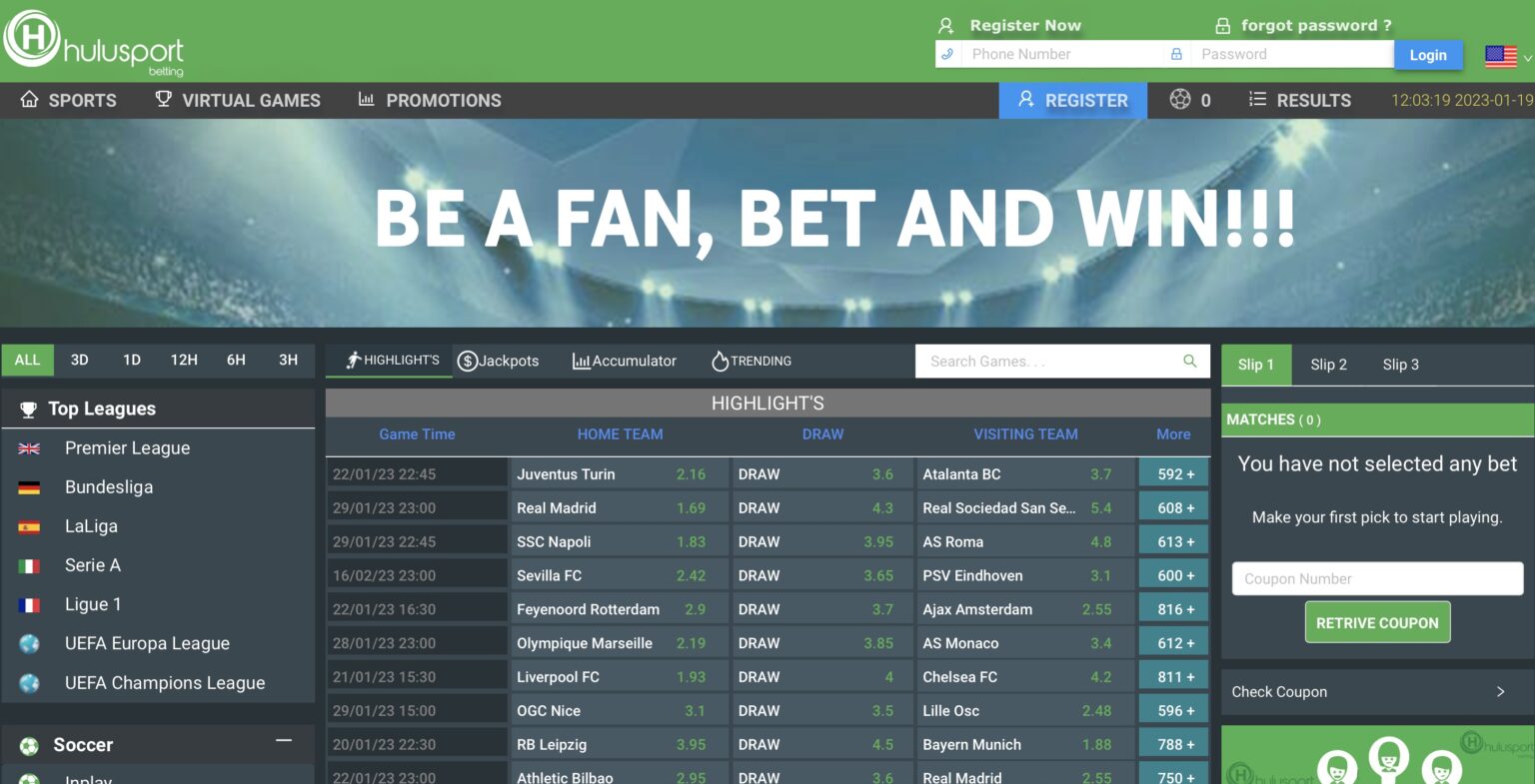
What's Inside the Hulu Sport Betting App
- Live odds across all sports, refreshing in real time as lines move.
- Today's games — every kickoff for the next 24 hours sorted by competition.
- Live betting with in-play markets on Premier League, Champions League, and Ethiopian football.
- Cashout on open bets — settle early when a result is going your way.
- Bet slip supporting single, accumulator, and system bets.
- Payments — deposits and withdrawals via Telebirr, CBE Birr, Amole, and bank transfer.
- Account management — transaction history, bet history, deposit limits, session timers.
- Push notifications for goals, settled bets, and promotions.
Performance on Ethiopian Networks
The Hulu Sport Betting app is built for the realities of mobile data in Ethiopia. The interface loads on 3G connections, live odds use efficient data updates rather than full-page refreshes, and the bet slip stays responsive even when signal drops temporarily. Players using the app on Ethio Telecom or Safaricom Ethiopia consistently report better performance than browser-based betting, especially during live matches.
Is the Hulu Sport Betting APK Safe?
Yes, as long as you download it from this page or the official site. The signed APK is verified by Android during installation, and the app itself uses encrypted connections for all account activity, deposits, and withdrawals. The same security standards apply on the app as on the desktop site.
What to avoid:
- Don't download the APK from third-party sites or APK mirrors — those copies may be modified.
- Don't install unofficial "mod" versions promising free bonuses or unlimited bets. They're fake and will compromise your account.
- Don't share your login credentials with anyone, even support staff — real support will never ask for your password.
Updating the Hulu Sport Betting App
The app checks for updates automatically when you open it. If a new version is available, you'll see a prompt to download and install. Updates usually take under a minute and never affect your account balance or open bets. If updates seem stuck, uninstall the current app and re-download the latest APK from this page — your account is server-side, so nothing is lost.
Troubleshooting Common App Issues
- APK won't install — check that you've allowed installation from unknown sources for your browser in Settings.
- App won't open — restart the phone and try again. If still failing, uninstall and re-download the APK.
- Live odds not updating — usually a connection issue. Switch between Wi-Fi and mobile data, or restart the app.
- Can't log in — use Forgot Password to reset via SMS. If the reset SMS doesn't arrive, contact hulu support betting via live chat.
- Deposit not showing — Telebirr and CBE Birr are instant in normal conditions. Wait 5 minutes, then contact live chat with your transaction reference if still missing.
App vs Mobile Site — Which Should You Use?
Both deliver the full Hulu Sport Betting experience, but each has its strengths. The app is faster for live betting because odds update without page reloads, stays logged in between sessions, and sends push notifications. The mobile site has no installation step, doesn't take up phone storage, and works on any device including iOS without the home-screen shortcut. For daily players, especially live bettors, the app is worth installing. For occasional weekend bets, the mobile site is enough.
FAQ — Hulu Sport Betting App
Yes. The Hulu Sport Betting APK is free to download from this page and free to use. There are no charges for installation, account creation, or downloading updates. You only need funds in your account to place bets.
Google Play doesn't accept real-money betting apps for distribution in Ethiopia or most of Africa. The app is downloaded directly from this page instead — the same approach used by every major sportsbook operating in the region.
Yes, as long as you download it from this page or the official website. The APK is signed and verified by Android during installation. Avoid third-party APK mirrors and "mod" versions — they may be modified and will compromise your account.
Android 5.0 (Lollipop) or higher for the APK. iOS 12 or higher for the mobile site shortcut. The APK file is under 30 MB so it works comfortably on entry-level Android phones with limited storage.
There's no native iOS app, but iPhone users access Hulu Sport Betting through the mobile site in Safari, which has identical functionality. Add the site to your home screen via the Share menu to make it open like a regular app.
Yes. The Hulu Sport Betting app is optimised for Ethio Telecom and Safaricom Ethiopia networks. Live odds and the bet slip stay responsive even on 3G connections, and no VPN is required.
No. Your Hulu Sport Betting account works across the website, mobile site, and the app. Log in on one and you stay logged in on the others. Your balance, bet history, and bonuses are synchronised.
The app checks for updates automatically when you open it. If an update is available, follow the prompt to download and install. Updates take under a minute and never affect your balance or open bets.