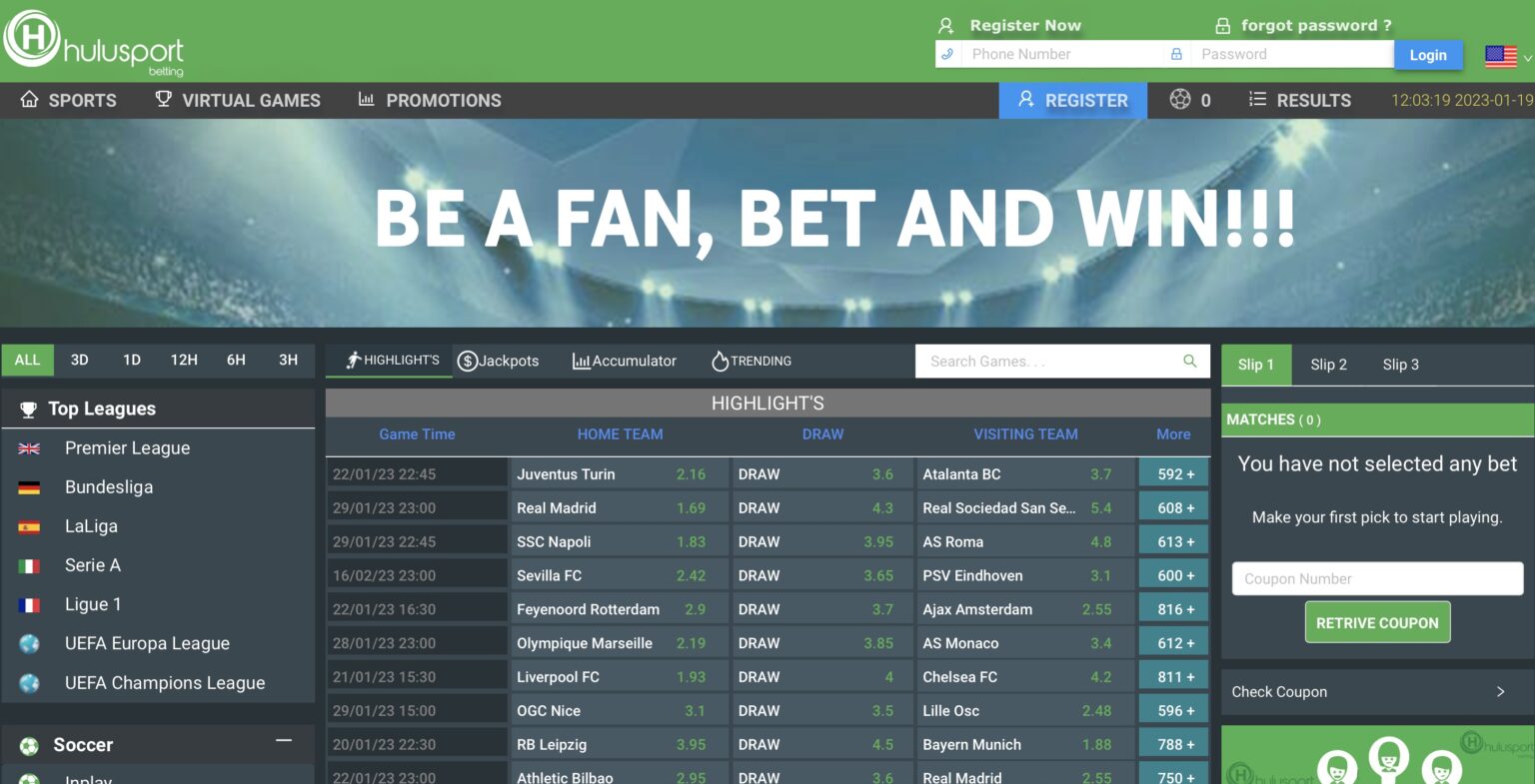
Hulu Sport Betting Login for Ethiopia
Sign in to your Hulu Sport Betting account in seconds. Enter your Ethiopian phone number and password to access live odds, today's matches, the bet slip, and your full account history. Forgot password? Reset by SMS in under a minute.

How to Login to Hulu Sport Betting Ethiopia
Open the Login Page
Tap the Login button at the top of this page or in the app. The login form appears with two fields — phone number and password. Logging in works the same way on the website, mobile site, and Android app, and you only need to do it once per device.
Enter Your Phone Number and Password
Type the Ethiopian phone number you registered with (Ethio Telecom or Safaricom Ethiopia) and your password. The country code +251 is added automatically. Passwords are case-sensitive, so check that Caps Lock is off. Tick Remember me if you want the site to keep you logged in on this device.
Tap Login
Hit the Login button. You're taken straight to your account dashboard with your balance, open bets, and today's featured matches. From here you can browse sports, place bets, deposit, or withdraw. The whole sign-in process takes about 10 seconds on a normal connection.
What players say about Hulu Sport login
Hulu Sport Login — Sign-In Guide for Ethiopian Players
Once your account is set up, signing in to Hulu sport betting is a 10-second process. Type your phone number, enter your password, and you're in. The same login credentials work across the desktop website, mobile site, and the Android app — sign in on one device and your account is accessible everywhere. This page covers the standard login flow, password recovery, and what to do if you run into problems accessing your account.
What You Need to Login to Hulu Sport Betting
- Phone number — the Ethiopian mobile number you used during registration.
- Password — the one you set when creating the account, case-sensitive.
- Active internet connection — mobile data on Ethio Telecom or Safaricom, or Wi-Fi.
If you don't have an account yet, head to Hulu sport register first — it takes about three minutes including SMS verification.
Login Steps in Detail
- Tap the Login button at the top right of the website, mobile site, or app.
- Enter your phone number in the first field. The country code +251 is added automatically — just type your number without the leading zero (e.g. 912345678).
- Enter your password in the second field. Tap the eye icon if you want to see what you're typing.
- Optional: tick Remember me to stay logged in on this device for future sessions.
- Tap Login. You're taken straight to your account dashboard.
Hulu Sport Password Reset — How to Recover Access
If you've forgotten your password, the reset flow is built into the login page:
- On the login screen, tap Forgot password.
- Enter the phone number registered to your account.
- A 6-digit reset code arrives by SMS within 30–60 seconds.
- Type the code into the verification field.
- Set a new password — at least 8 characters with letters and numbers.
- Log in with the new password.
The reset SMS goes to the phone number on file, so make sure that number is still active. If you've lost access to your phone number, contact hulu support betting via live chat — the support team can help recover the account through identity verification.
Login on the Hulu Sport Betting App
The app uses the same credentials as the website. On first launch you're asked to log in, and from then on the app stays signed in until you manually log out. This is one of the main reasons daily players prefer the app — no repeated logins, no re-entering passwords during live matches. If you ever need to switch accounts on the app, the Logout option is in the side menu under your profile.
Staying Logged In Across Devices
Your hulu sport account is server-side, which means:
- You can be logged in on multiple devices at once — phone, tablet, and desktop.
- Your balance, bet history, and bonuses sync instantly across devices.
- Placing a bet on one device updates the bet slip on all others.
- Logging out on one device doesn't affect the others — each has its own session.
Common Login Problems and How to Fix Them
- "Invalid credentials" error — double-check the phone number is correct (no leading zero, no country code) and that Caps Lock is off. If you're sure the credentials are right but it still fails, use Forgot password to reset.
- SMS reset code not arriving — wait 60 seconds before tapping Resend. Ethio Telecom and Safaricom SMS can be slow during peak hours. If still nothing after two attempts, contact support.
- "Account locked" message — happens after several failed login attempts as a security measure. Wait 15 minutes and try again, or reset your password.
- Page won't load the login form — usually a connection issue. Switch between Wi-Fi and mobile data, or clear your browser cache.
- Logged out unexpectedly — sessions on the website expire after periods of inactivity for security. The app stays signed in indefinitely until you log out.
- Wrong phone number on file — if you can log in but need to update your number, change it in account settings under Personal Details.
Login Security — Protecting Your Hulu Sport Account
- Use a unique password that you don't use anywhere else.
- Don't share your login with anyone, including family — each person needs their own account.
- Set the optional email field in account settings so you have a second recovery option.
- Log out manually from shared or public devices — Remember me only protects you on your own phone or computer.
- If you suspect someone else has accessed your account, reset your password immediately and contact support to check recent activity.
- Real support staff will never ask for your password. Anyone asking is a scammer — ignore the request and report it.
After You Log In
Your account dashboard shows your balance, any open bets, and the day's featured matches. From here you can browse pre-match markets, jump into live betting, deposit funds via Telebirr or CBE Birr, withdraw winnings, check transaction history, or adjust account settings. The full Hulu Sport Betting experience opens up the moment you're signed in.
FAQ — Hulu Sport Login
Tap the Login button at the top of the page, enter the Ethiopian phone number you registered with, type your password, and hit Login. The whole process takes about 10 seconds on a normal connection.
On the login page, tap Forgot password. Enter your registered phone number and a 6-digit reset code arrives by SMS within 30–60 seconds. Enter the code, set a new password (at least 8 characters with letters and numbers), and log in.
Most often it's a typo. Check that the phone number is entered without the leading zero and without the country code (the +251 is added automatically). Make sure Caps Lock is off — passwords are case-sensitive. If the credentials are definitely correct, use Forgot password to reset.
Yes. You can be logged in on your phone, tablet, and desktop at the same time. Your balance, bet history, and bonuses sync across all devices instantly.
Contact hulu support betting via live chat. The support team can help recover the account through identity verification — you'll need to confirm details from your registration and any deposit transactions.
Hulu Sport Betting locks accounts after several failed login attempts as a security measure. Wait 15 minutes and try again, or use Forgot password to reset and unlock the account in one step.
On the website, sessions expire after a period of inactivity for security. On the app, you stay logged in indefinitely until you manually log out — that's why daily players prefer the app for quick access.
On your personal phone or computer, yes — it just skips the password entry next time. Don't tick Remember me on shared or public devices, and always log out manually from devices that aren't yours.